How to get started on
doordash
Learn how to start dashing with DoorDash — from signing up to using the Dasher app for your first delivery.

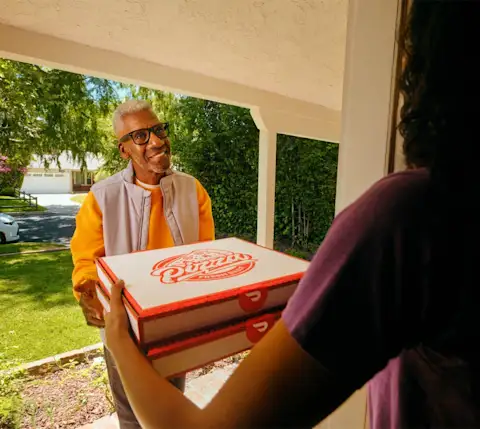
From signup to your first delivery
Whether dashing is a side hustle or a flexible gig, the signup process is the same.
1 - Sign up
Complete the Dasher sign-up and pass a background check.
2 - Download the app
Get the Dasher app on iOS or Android. Add your account information.
3 - Accept an offer
Schedule ahead or use Dash Now. See pay and distance before deciding.
4 - Deliver & earn
Pick up, drop off, and get paid. Tips are 100% yours.
Visit the DoorDash Store for bags, drink carriers, and more.

Your First Delivery,
Step by Step
Here’s exactly what happens once you accept an offer.
Accept offer: See minimum earnings and distance. 50 seconds to decide.
Head to pickup: The Dasher app navigates you to the pick-up point.
Pick up order: Tell staff you’re a Dasher with DoorDash. Order is pre-paid.
Drop off order: Follow drop off instructions in the app. Take a photo.
Earn & rate: Pay added to your account. Rating recorded.
How to do your first
DoorDash delivery
Before You Head Out
A few things you should know before your first delivery with DoorDash, whether by car, bike, or scooter.

Reserve slots up to 5 days out, or use Dash Now when your zone is busy.


How DoorDash
Pay Works
Every offer shows your estimated pay upfront, even before you accept.

DoorDash’s base pay per delivery, based on time, distance, and order type.
Customers tip before or up to 30 days after delivery. 100% of tips go directly to you.
Earn extra money with Peak Pay, Challenges, and Bonuses during busy hours.
Getting Paid
Choose your payout method from the Earnings tab in the Dasher app.
WEEKLY
Free direct deposit to your bank every Monday.
DAILY
Fast Pay: daily payouts starting at $1.99 per transfer.
Instantly
DoorDash Crimson: access to earnings and perks. Earnings deposits typically occur within seconds; delays may occur.
LEVEL UP YOUR DASHING
KNOWLEDGE
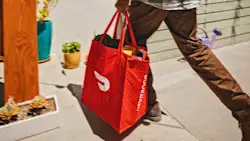
Make the most of every dash with three simple steps.
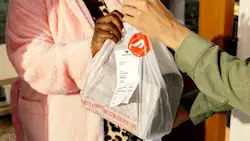
Pick up helpful tips and tricks from seasoned Dashers for a successful delivery.

We know unexpected issues can arise when you dash. Here’s how seasoned Dashers handle six of the most common ones.

Ready to start
dashing?
Download the Dasher app and start dashing with DoorDash (*subject to eligibility)
Frequently Asked Questions
Complete the Dasher sign-up process online, pass a background check, and download the Dasher app on iOS or Android using the phone number and email you signed up with. Add your bank account information, then schedule your first dash or use Dash Now to start dashing, subject to eligibility.
Tap “Already started signing up?” on the DoorDash homepage and log in with the phone number and email used during sign-up. You’ll see your current status or be prompted to complete any missing steps in the signup process.
Download the Dasher app and add your bank account information from the Earnings tab. Through Instant Dash, select new Dashers can start as soon as the signup process is complete, no Red Card or hot bags needed. Your activation kit, including an insulated bag, ships after your first dash.
No. As a DoorDash independent contractor, you may accept or decline any offer. There is no minimum acceptance rate required to remain active on the DoorDash platform.
Yes. Through Instant Dash, select new Dashers can start delivering right away without a Red Card or hot bags. The Dasher app will only show you the eligible orders you can complete without a Red Card or hot bag. Your activation kit, including an insulated bag, ships after your first dash. Need additional gear? Visit the DoorDash Store.
Disclaimer: DoorDash Dashers are independent contractors. Successful ID verification required for DoorDash Crimson.